GADvance is an adaptive e-learning platform for gender sensitivity and Gender and Development (GAD) education. You learn through structured courses made of modules and lessons, and your understanding is checked with assessments that adjust to you.
Behind the assessments is Bayesian Knowledge Tracing (BKT), a well-established model that estimates how likely it is that you have mastered a topic. GADvance updates that estimate after every answer and uses it to choose the difficulty of the next question.
Use the search box in the documentation menu. It searches article titles, descriptions, and section headings.
2. Start here
Getting started
Create an account, verify your email, set up your profile, join an organization, and start your first course.
Setting up takes a few minutes. You need an email address you can open, and if you are joining through a school or workplace, the 6-digit join code your administrator gave you.
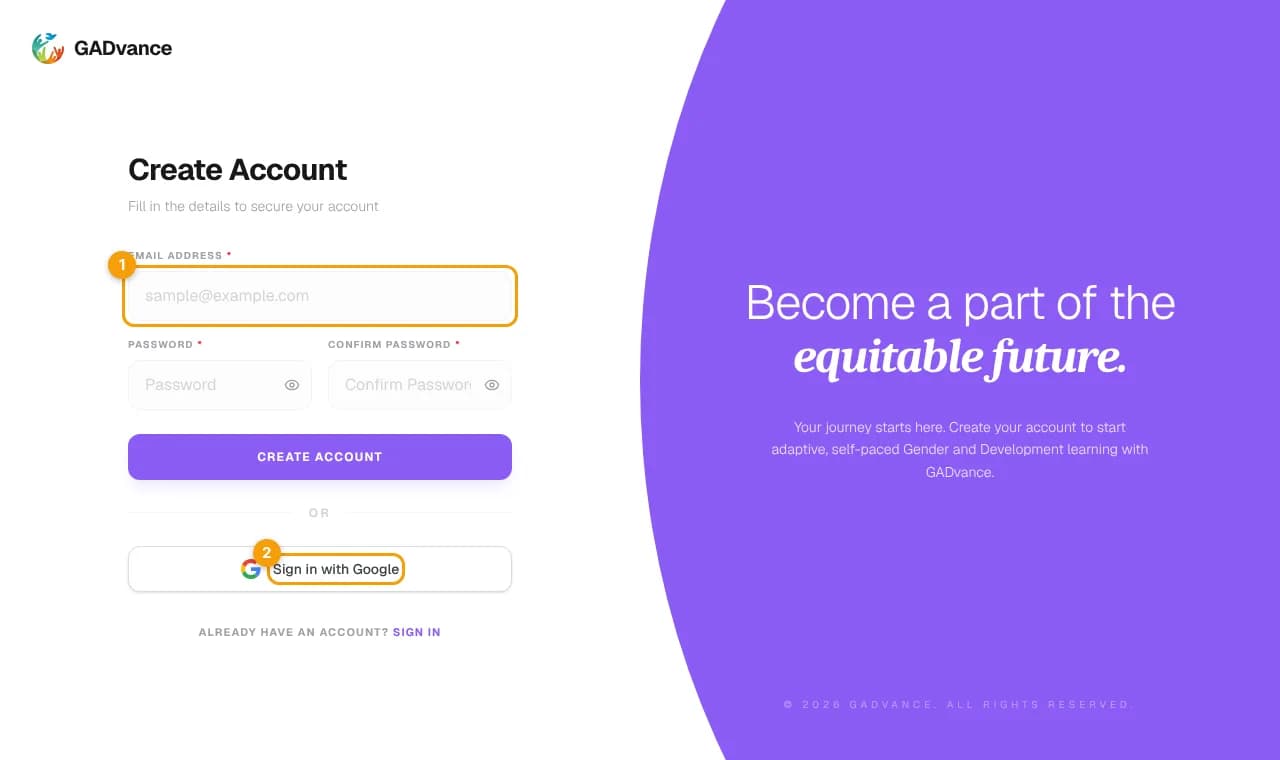
Select Sign Up in the top navigation, or go to the sign-up page.
Choose how to sign up
Enter your email and a password, or continue with your Google account. With Google you can skip email verification because Google has already confirmed your address.
The sign-up page. (1) Sign up with email and password, or (2) continue with Google.
GADvance sends a message titled "Verify your email to finish creating your GADvance account".
Select Verify email address
The link opens GADvance and activates your account.
The link expires after 30 minutes
If it expires, choose resend on the verification page or sign up again to get a new link. Check your spam or promotions folder if the email does not arrive within a few minutes.
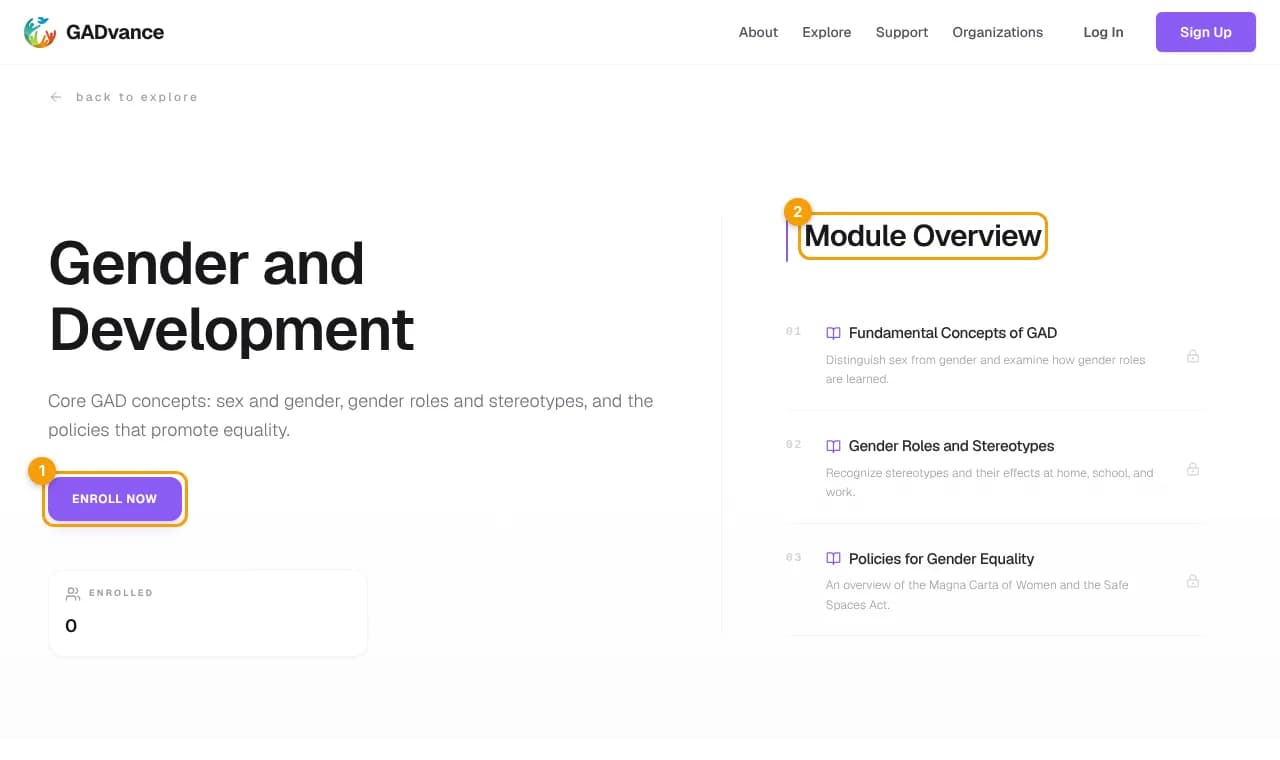
Open a module to begin. Most modules start with a pre-test, then lessons and checkpoint quizzes, and end with a post-test. Your place is saved as you go, so you can leave and resume later. See Assessments and results for what to expect from each assessment.
Gender and Development (GAD) is the Philippine government's framework for making gender equality part of how institutions plan, budget, and deliver services. Building gender sensitivity takes education that reaches people with very different starting points. A single fixed quiz is too hard for some learners and too easy for others.
GADvance began as an undergraduate research project at the College of Computer Studies, Laguna State Polytechnic University – San Pablo City Campus. The project studied whether adaptive assessment, powered by Bayesian Knowledge Tracing, supports GAD learning. That study has concluded, and every learner now receives the adaptive experience.
GADvance was designed and built by student researchers of the College of Computer Studies, LSPU – San Pablo City Campus, as part of their undergraduate thesis.
Research data
Data collected during the study is kept for research analysis. Learners who joined after the study are not assigned to any research group.
4. Using GADvance
Platform features
A tour of everything available to learners: dashboard, organizations, courses, lessons, assessments, progress, and certificates.
Sign up with an email and password, or with Google.
Email sign-ups are confirmed with a verification link that expires after 30 minutes.
Forgot your password? Request a reset link from the sign-in page. Each link expires after 30 minutes, and requesting a new one cancels the previous link.
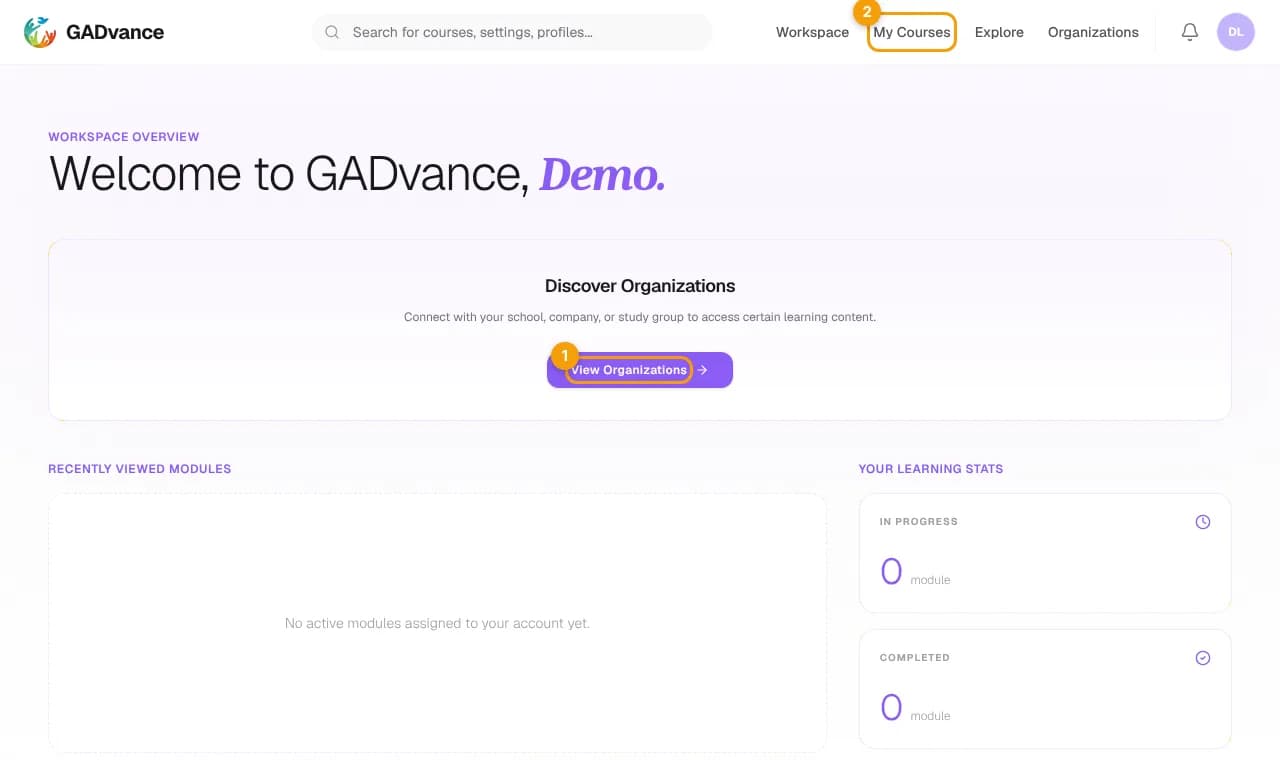
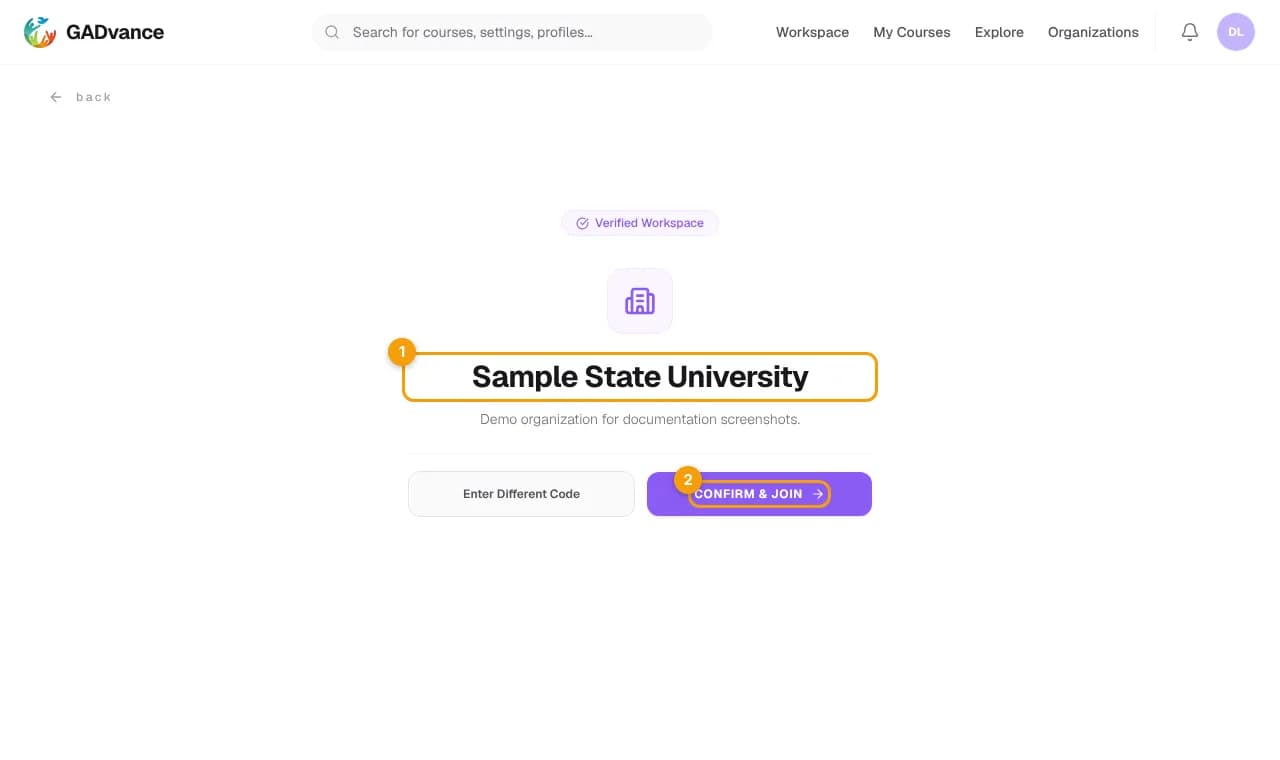
Organizations are schools, offices, or agencies that use GADvance with their members. Joining one gives you access to the learning plans it provides. Join with an invitation link or a 6-digit code, and leave at any time from the Organizations page.
GADvance tracks completed lessons and assessments in each module, and shows your assessment scores and whether you passed. It also keeps a mastery estimate for each topic. The estimate is not shown on screen; it is used to choose checkpoint question difficulty and to suggest lessons to review after an assessment.
Some learning plans award a certificate when you complete them. If yours does, the certificate is generated with your name, and each one carries a verification code. Anyone can check a code on the certificate verification page.
Every graded assessment has a passing score, set as a percentage by the course. Your score is the share of points you earned. Some assessments must be passed before you can continue to the next part of the module; the assessment tells you when that is the case.
Score and mastery are separate
Your score says how many questions you got right in this attempt. Your mastery estimate is GADvance's running estimate of how well you know the topic, built from all your answers. You can pass with a modest mastery estimate, and the estimate keeps improving as you practice.
After a checkpoint, GADvance looks at the questions you missed and the topics with the lowest mastery estimates, and suggests the related lesson pages to review. Reviewing them before a retake or the post-test is the fastest way to improve.
Bayesian Knowledge Tracing treats "has this learner mastered the topic?" as a probability between 0 and 1. Every time you answer a question on a topic, GADvance updates that probability. A correct answer usually raises it and an incorrect answer usually lowers it, but not by a fixed amount. BKT accounts for lucky guesses and careless slips, so one answer never decides everything.
Each answer is weighed against the guess and slip probabilities, then a small learning step is applied. The result sets the difficulty of the next question.
A learner starts a topic at the initial knowledge value of 0.20 and answers five questions: correct, correct, incorrect, correct, correct. These numbers are computed with the same formula GADvance uses.
Mastery after each answer. Shaded bands show which question difficulty the learner would be served next.
Question
Answer
Mastery after
Q1
Correct
0.200 → 0.526
Q2
Correct
0.526 → 0.820
Q3
Incorrect
0.820 → 0.440
Q4
Correct
0.440 → 0.765
Q5
Correct
0.765 → 0.929
Notice that the incorrect answer on Q3 lowers mastery a lot but does not reset it, and two more correct answers bring it back up.
Each adaptive checkpoint has a minimum and maximum number of questions, set by the course. GADvance picks a length between them from your average mastery across the topics the checkpoint covers:
Average mastery of 0.50 or lower: the maximum number of questions, for more practice.
Average mastery of 0.90 or higher: the minimum number of questions.
In between: proportionally fewer questions as your mastery rises.
Your score is the percentage of points you earned in one attempt, and it decides whether you pass. Your mastery estimate is a probability that GADvance keeps updating across all your answers on a topic. It decides question difficulty and review suggestions, not whether you pass.
7. Help
FAQs and troubleshooting
Answers to common questions about accounts, adaptive learning, assessments, organizations, and mobile access.
Check your spam and promotions folders, and make sure you typed your email correctly. Verification links expire after 30 minutes; choose resend on the verification page or sign up again to get a new one.
I forgot my password.
Choose Forgot password on the sign-in page and enter your email. The reset link expires after 30 minutes, and only the newest link works. For security you can request up to three reset emails every 15 minutes.
I signed up with Google. Do I need a password?
No. Continue signing in with the same Google account. If you also want to sign in with a password, use Forgot password to set one.
Sign-in says my account is not allowed here.
The learner site is for learner accounts. Administrator accounts sign in through the GADvance Admin Portal.
Why did I get different questions than my classmate?
Checkpoint quizzes choose questions from your own mastery estimate, so two learners rarely see the same set. See How BKT works.
Why did one wrong answer drop my mastery so much?
When your estimate is still low, each answer carries a lot of weight. As you answer more questions the estimate becomes steadier, and correct answers quickly bring it back up.
Can I see my mastery estimate?
Not as a number. GADvance uses your mastery estimate behind the scenes to choose question difficulty and to suggest lessons to review. What you see are your assessment scores, whether you passed, and your module progress.
Join codes are 6 characters and are not case-sensitive. Check that you copied the whole code, then ask your administrator to confirm it; administrators can change a code, which makes the old one stop working.
How do I leave an organization?
Open Organizations in your workspace and choose leave on the organization. You lose access to learning plans that are only available through it.
Email projectgadvance@gmail.com. For a faster answer, use a subject line such as "GADvance Bug Report" or "GADvance Account Assistance" and include what you were doing, what you expected, and your device and browser. Never send your password.